
Smartphone have become an essential part of everyday life. They help us stay connected with friends and family, manage work, capture memories, shop online, navigate unfamiliar places, and even monitor our health. Despite using our phones for hours every day, most people only scratch the surface of what these powerful devices can actually do.
Whether you own an Android phone or an iPhone, your device is packed with hidden features designed to make life easier, improve security, increase productivity, and save time. Many of these tools are built directly into the operating system, yet they remain unnoticed because they’re tucked away in settings menus or introduced through software updates that people rarely explore.
If you’ve ever felt like you’re not getting the most out of your smartphone, you’re not alone. This guide uncovers some of the most useful hidden features you probably didn’t know existed. By the end, you’ll be using your phone more efficiently, protecting your privacy better, and discovering shortcuts that can make everyday tasks much simpler.
Back Tap Shortcuts That Save Time
Many modern smartphones include gesture-based controls that let you perform actions without opening apps or navigating through menus.
On supported iPhones, the Back Tap feature allows you to double-tap or triple-tap the back of the phone to trigger actions such as taking a screenshot, opening the camera, activating the flashlight, launching Siri, or opening a favourite app.
Several Android manufacturers also offer similar gesture controls, allowing users to launch apps, split the screen, or perform customised actions through taps or gestures.
These shortcuts may seem small, but when used regularly, they can save valuable seconds throughout the day.
Scan Documents Without Installing Extra Apps
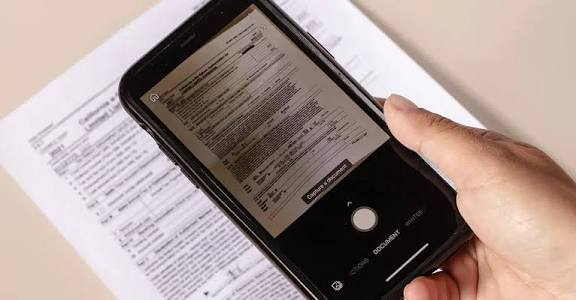
Many people download third-party scanner applications without realising their smartphone already includes this feature.
The Notes app on iPhone and Google Drive on Android both allow users to scan documents using the camera. The phone automatically detects document edges, straightens the image, improves readability, and saves the file as a PDF.
This is perfect for scanning receipts, contracts, school assignments, passports, and important paperwork while travelling or working remotely.
Having this capability built into your phone eliminates the need for additional software.
Turn Your Phone Into a Magnifying Glass

Reading tiny labels, restaurant menus, medicine instructions, or serial numbers can be difficult.
Most smartphones include a Magnifier feature that uses the camera to zoom in on small text while enhancing brightness and contrast.
Some devices even include filters for colour contrast, making it easier for people with reduced vision to read printed materials.
It’s a practical accessibility tool that benefits everyone, not just those with visual impairments.
Live Captions for Videos and Calls
Have you ever watched a video in a noisy environment or forgotten your headphones?
Many smartphones can generate real-time captions for videos, podcasts, and sometimes even phone calls.
This feature improves accessibility while also making it easier to understand content in loud public places such as airports, trains, or cafés.
Because captions are generated automatically on supported devices, they often work even when the video itself doesn’t provide subtitles.
Hidden One-Handed Mode
Modern phones have larger displays than ever before, making one-handed use more difficult.
Fortunately, many smartphones include a hidden one-handed mode that temporarily shifts the screen downward or shrinks the interface.
This allows users to comfortably reach buttons near the top of the display without adjusting their grip.
It’s particularly useful while walking, commuting, or carrying shopping bags.
Built-In Password Manager
Remembering dozens of passwords isn’t easy. Instead of writing passwords in notebooks or reusing the same password everywhere, smartphones include secure password managers
that generate strong passwords, store login credentials, and automatically fill them when needed. These password managers synchronise across trusted devices, reducing the frustration of forgotten passwords while improving online security.
Using unique passwords for every website significantly reduces the risk of multiple accounts being compromised.
Emergency SOS Features
Your smartphone can become an important safety tool during emergencies.
Most modern devices include Emergency SOS functions that allow users to quickly contact emergency services by pressing the power button several times or holding a specific button combination.
Some phones automatically share your location with emergency contacts after the alert is activated.
Setting up emergency information, including allergies, medical conditions, and emergency contacts, ensures first responders can access essential information even if your phone is locked.
Focus Modes That Reduce Distractions
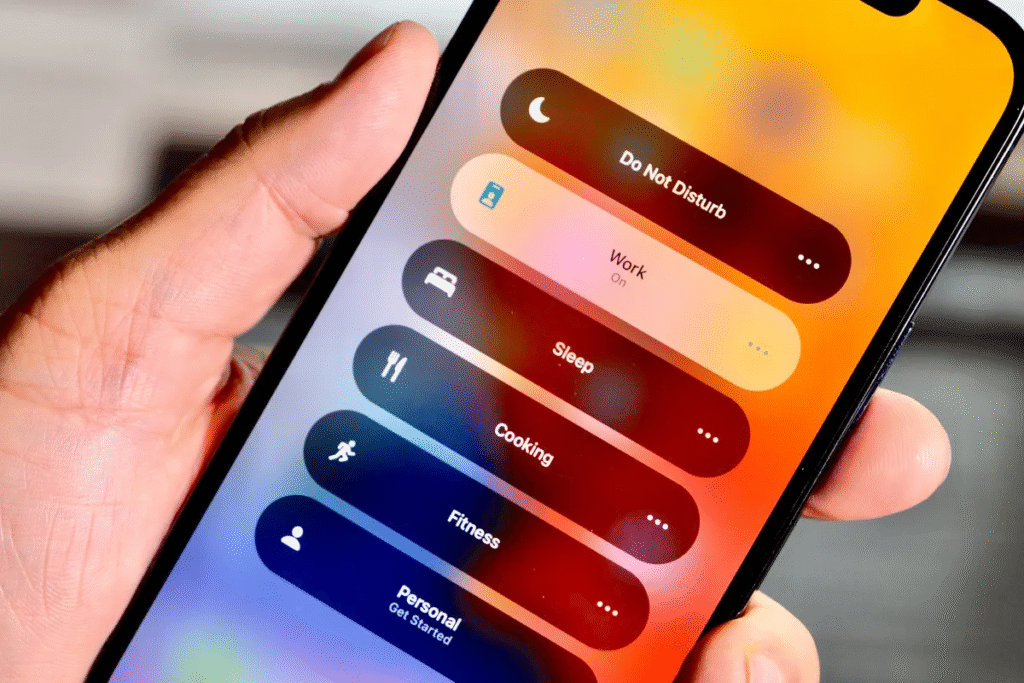
Constant notifications can make it difficult to concentrate.
Focus modes allow users to create customised profiles for work, study, driving, sleeping, or personal time.
Instead of disabling every notification manually, your phone can automatically silence certain apps while allowing important calls or messages to come through.
Scheduling these modes helps create healthier digital habits and improves productivity throughout the day.
Text Recognition Inside Photos
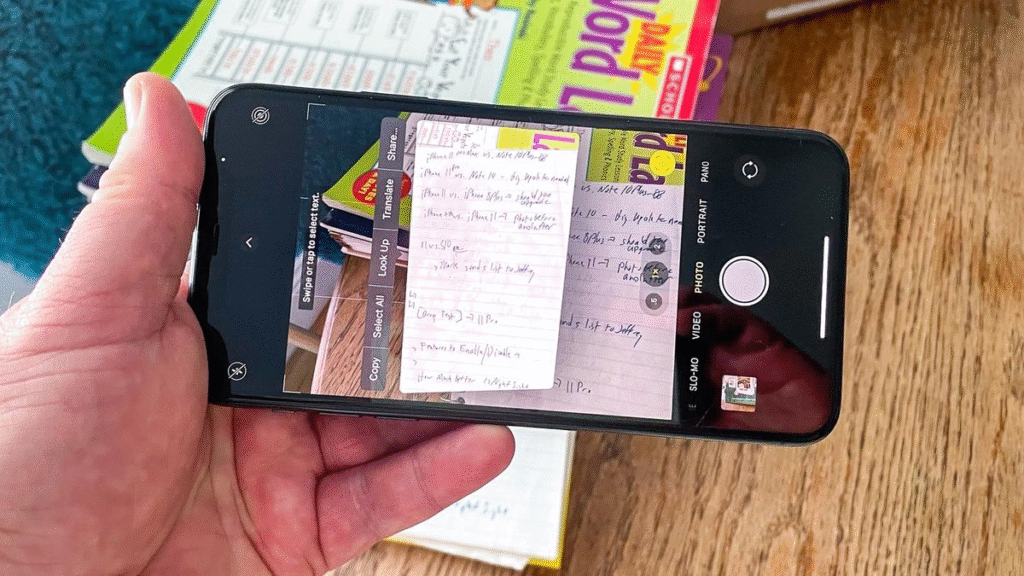
One of the smartest hidden features available today is text recognition.
Take a photo of a restaurant menu, handwritten notes, book page, or printed document, and your phone can recognise the text within the image.
You can then copy it, translate it, search for it online, or share it with others.
Students, professionals, and travellers find this especially useful because it eliminates the need to manually type long paragraphs.
Translate Text Instantly with Your Camera
Travelling abroad has become much easier thanks to built-in camera translation tools.
Simply point your camera at signs, menus, brochures, or instructions written in another language.
And many smartphones can instantly display a translated version on your screen.
This feature helps travellers navigate unfamiliar environments with greater confidence and reduces language barriers during everyday situations.
Find Your Phone Even When It’s Silent
Almost everyone has experienced misplacing their phone somewhere at home.
Modern smartphones include device-finding services that allow users to locate their phone from another device.
Even if the phone is on silent mode, these services can often make it ring loudly, helping you find it quickly.
Location tracking also provides peace of mind if the device is lost or stolen.
Hidden Battery Health Information
Battery life naturally declines over time, but many people never check the condition of their battery.
Several smartphones provide battery health information showing maximum capacity, charging habits, and recommendations for extending battery lifespan.
Features like Optimised Battery Charging learn your routine and delay charging beyond 80% until shortly before you usually unplug the device.
This helps reduce battery ageing and maintain long-term performance.
Scheduled Messages

There are times when you want a message delivered later rather than immediately.
Some messaging applications now allow users to schedule messages in advance.
This is particularly useful for birthday wishes, business reminders, appointment confirmations, or communicating across different time zones.
Scheduled messaging helps you stay organised without relying on memory alone.
App Permissions That Protect Your Privacy
Many apps request access to your camera, microphone, contacts, photos, or location.
Hidden within your privacy settings is a detailed permissions manager where you can review exactly which apps have access to sensitive information.
Removing unnecessary permissions improves privacy while reducing the amount of personal data shared with applications.
It’s worth reviewing these permissions every few months.
Screen Recording Without Extra Software
Need to explain something to a friend or demonstrate an app feature?
Most smartphones now include a built-in screen recorder.
It captures everything happening on your display and, in many cases, can also record microphone audio simultaneously.
Screen recording is useful for creating tutorials, troubleshooting technical issues, or saving online presentations for personal reference.
Digital Wellbeing Tools
Many users underestimate how much time they spend on their phones.
Built-in Digital Wellbeing or Screen Time dashboards provide detailed insights into daily usage.
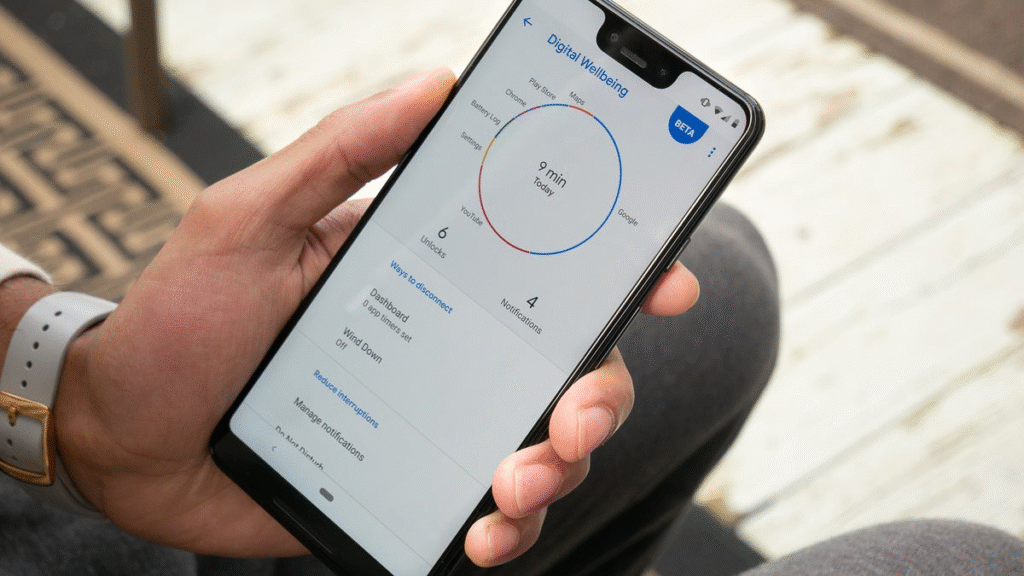
You’ll see how long you spend on each application, how many times you unlock your phone, and how many notifications you receive.
These reports often surprise users and encourage healthier screen habits.
App timers can even limit access after reaching daily usage goals.
Split Screen Multitasking
If you’ve ever wished you could use two apps at once, your smartphone may already support it.
Split-screen mode allows compatible apps to run side by side.
You can watch a video while taking notes, browse the web while chatting with friends, or compare documents without constantly switching between apps.
This feature significantly improves multitasking, especially on larger displays.
Quick Access to the Camera
Capturing spontaneous moments often depends on how quickly your camera opens.
Most smartphones include hidden shortcuts that launch the camera instantly without unlocking the phone.
These shortcuts may involve double-pressing the power button, swiping the lock screen, or using custom gestures.
Knowing these shortcuts helps ensure you never miss important memories.
Automatic Photo Organisation
Your phone’s photo application does much more than simply store pictures.
Modern devices automatically recognise people, pets, places, documents, sunsets, food, and hundreds of other categories.
Searching for words like “beach,” “birthday,” “dog,” or “car” can instantly display matching photos without requiring manual albums.
This intelligent organisation makes finding old memories much faster.
Voice Commands Beyond Calling
Voice assistants have evolved considerably over the years.
In addition to setting alarms and answering questions, they can send messages, create reminders, start workouts, control smart home devices, identify songs, adjust settings, translate languages, and launch specific applications.
Learning just a handful of useful voice commands can reduce repetitive tasks throughout your day.
Offline Maps for Travelling
Many people assume navigation always requires an internet connection.
In reality, many smartphones allow users to download maps in advance for offline use.
This becomes incredibly useful during international travel, road trips through remote areas, or places with unreliable mobile coverage.
Offline maps also reduce mobile data usage.
Hidden Accessibility Features Everyone Can Use
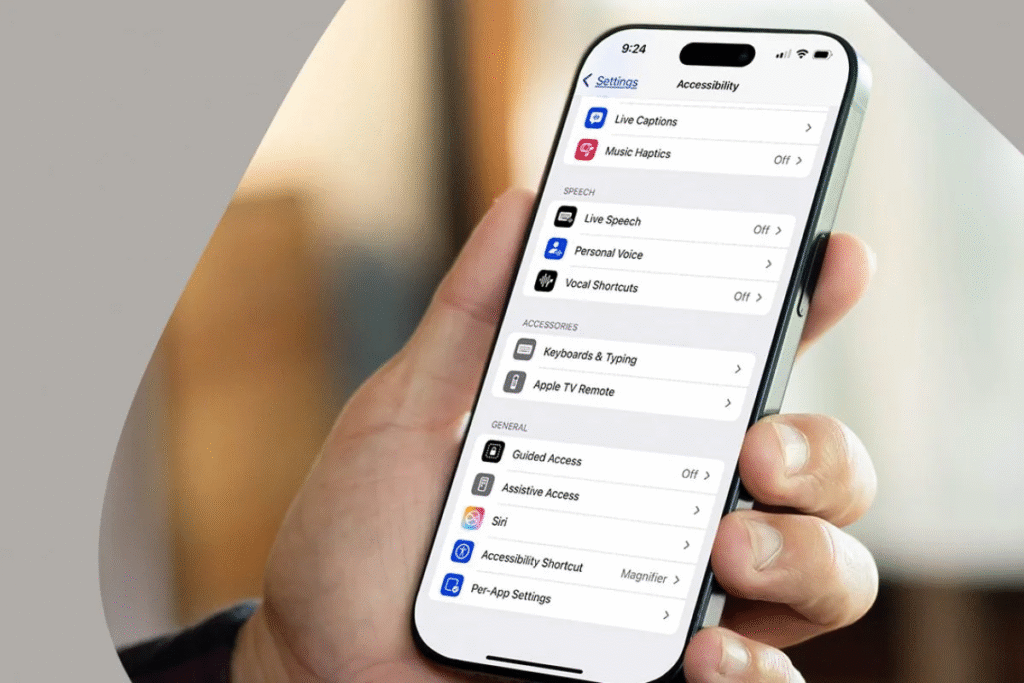
Accessibility settings are designed to help people with different needs, but many of these features improve usability for everyone.
Examples include larger text, colour filters, voice control, sound amplification, background noise reduction, vibration customisation, guided access, and live speech.
Exploring these settings often reveals tools that make everyday phone use more comfortable regardless of your abilities.
Clipboard History and Smart Copy Features
Copying and pasting has become far more advanced than many users realise.
Some Android devices maintain a clipboard history that stores multiple recently copied items, allowing you to paste older text without copying it again.
Smart selection tools can also recognise phone numbers, email addresses, dates, and locations, making it easier to take actions directly from copied content.
These small conveniences can save time during work, study, and communication.
QR Code Scanner Built Into the Camera
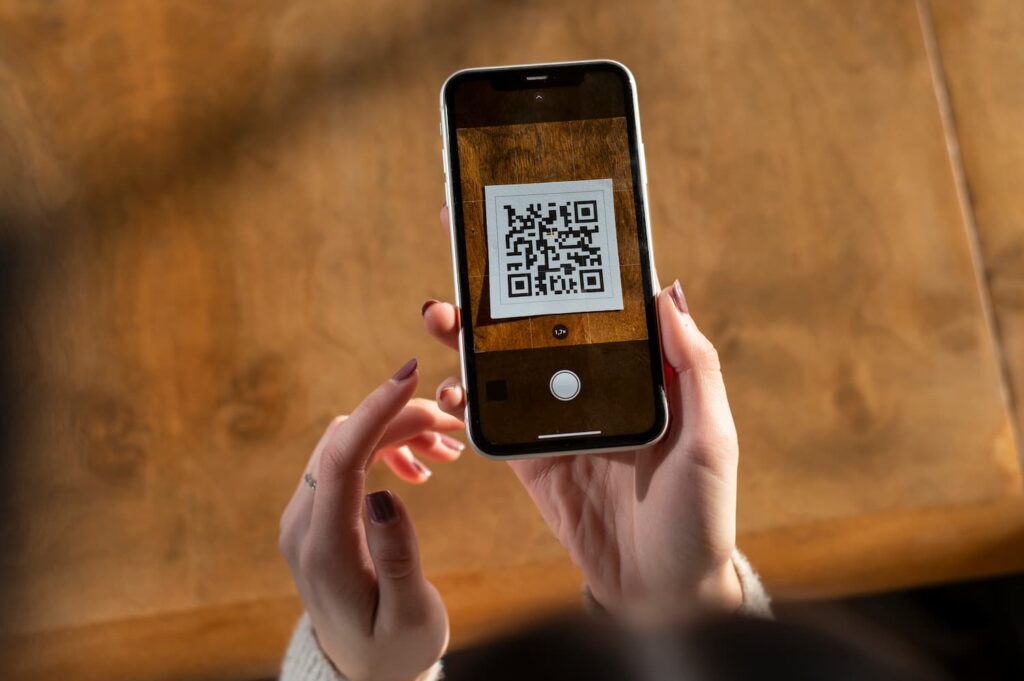
Years ago, QR codes required dedicated apps. Today, most smartphone cameras recognise QR codes automatically.
Simply point your camera at a QR code to open websites, join Wi-Fi networks, download apps, view restaurant menus, or access event tickets.
Because the functionality is built into the camera, there’s no need to clutter your phone with extra scanning applications.
Customise Your Lock Screen
Many people never go beyond changing their wallpaper, but modern smartphones allow extensive lock screen customisation. You can add useful widgets, change fonts, display weather information,
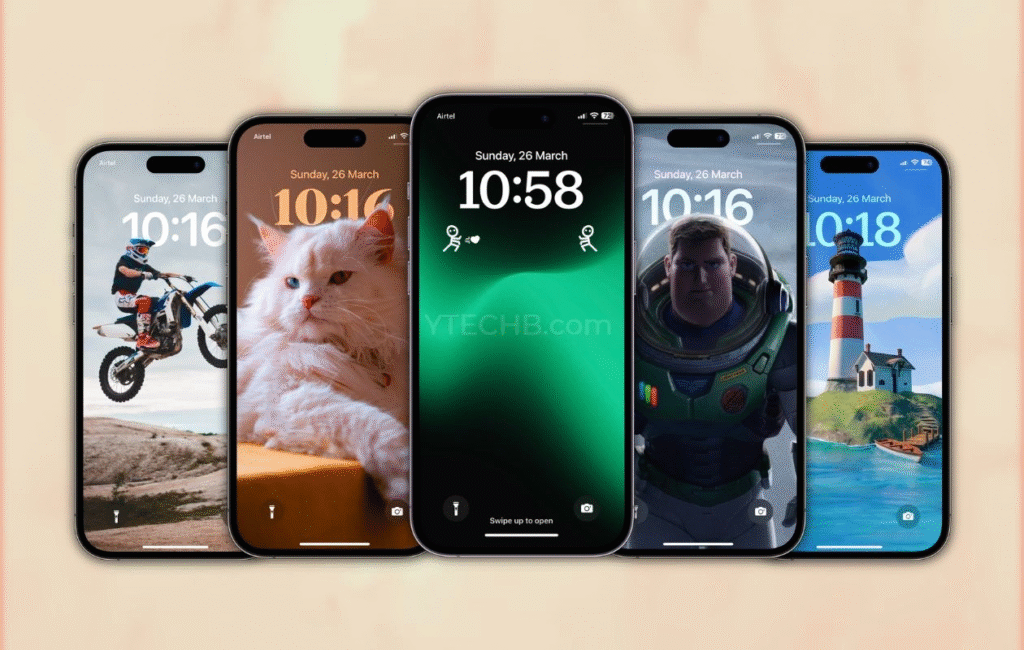
view calendar appointments, monitor battery levels, and access favourite apps without unlocking your device. These customisations reduce the number of taps needed to access important information throughout the day.
Automatic Safety Check Features
Some smartphones include personal safety tools that periodically check whether you’ve arrived safely at your destination.
You can schedule a safety timer before walking home, cycling, or travelling alone. If you fail to respond when prompted, your chosen emergency contacts can automatically receive your location.
This feature offers extra reassurance for both users and their families.
Keep Your Software Updated

Many hidden features arrive through software updates rather than new phone purchases.
People often delay updates because they assume they only contain bug fixes. In reality, updates frequently introduce privacy improvements, battery enhancements, camera upgrades, accessibility tools, and entirely new functionality.
Regularly updating your device ensures you benefit from the latest innovations while also improving security against newly discovered threats.
FAQs
1 Are hidden smartphone features available on both Android and iPhone?
Yes, many hidden features are available on both platforms, although their names, settings, and functionality may differ depending on the device manufacturer and software version.
2. How can I find hidden features on my smartphone?
Explore the Settings app, check Accessibility, Privacy, and System menus, and keep your phone updated with the latest software to access newly added features.
3. Do hidden smartphone features affect battery life?
Most built-in features have little impact on battery life. However, services like GPS, Always-On Display, and continuous background activity may use more power if left enabled.
4. Is it safe to use built-in smartphone security and privacy features?
Yes, features such as app permission controls, password managers, emergency SOS, and biometric authentication are designed to improve your device’s security and protect your personal information.
5. Why should I keep my smartphone software updated?
Software updates often introduce new features, improve performance, fix bugs, and strengthen security, helping your smartphone run more efficiently and stay protected against potential threats.